
Streamline Chef Orders with Mobile Access
Overview
The What Chefs Want mobile ordering app is designed specifically for chefs and culinary professionals using iPhone devices. Built within the Lifestyle category, the app serves as a digital storefront enabling users to browse a comprehensive product catalog directly from their mobile devices. The primary purpose is to simplify the ordering workflow for kitchen and food service professionals by offering a centralized platform to manage purchases on the go.
Target users include chefs, restaurant staff, and culinary managers who frequently need to place orders for ingredients, equipment, or supplies. The app supports real-world scenarios such as ordering during shifts, reviewing past purchases, and managing vendor contacts—all from a single interface. By eliminating the need for paper-based purchase orders or multiple communication channels, it helps reduce errors and delays in procurement.
The developer has positioned the app to serve the niche market of food service professionals, focusing on mobile convenience and workflow efficiency. While no additional developer background was provided, the app’s design suggests a clear understanding of the operational challenges faced by chefs in fast-paced environments. It aims to deliver a seamless experience tailored to the unique needs of culinary professionals who rely on timely, accurate ordering.
Key Features & Capabilities
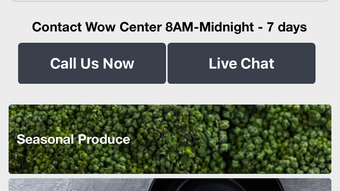
- Product Catalog Browsing – Users can explore the full WCW product catalog with visual images, allowing for quick identification and selection of needed items.
- Mobile Order Placement – Place orders directly from the iPhone, including quantity selection and purchase order entry, streamlining the procurement process.
- Past Orders History – Access a record of previous purchases, enabling users to reorder frequently used items with minimal effort.
- Contact Management – Maintain and manage vendor or supplier contacts within the app for faster communication and order tracking.
- User Profiles – View and update personal or professional profiles to ensure accurate order delivery and user preferences.
These features support practical use cases such as restocking kitchen essentials during a busy shift, reviewing past orders for inventory planning, or quickly reordering standard ingredients. The integration of visual catalog browsing enhances decision-making speed, while centralized contact management reduces reliance on external communication tools. The app is built to minimize friction in the ordering cycle, making it a practical tool for professionals who need reliability and efficiency in high-pressure environments.
User Interface, Workflow & Performance
The user interface is structured around intuitive navigation, optimized for touch-based interaction on iPhone devices. Core functions such as browsing, selecting items, and placing orders are accessible through clear menus and visual cues. The workflow follows a logical sequence: discover products → select quantities → enter purchase details → submit order, reducing the cognitive load on users.
Navigation is designed to be straightforward, with minimal steps between actions. The app appears to prioritize speed and clarity, which is essential for chefs who may need to place orders between service periods. While specific performance metrics were not disclosed, the app’s lightweight size of 25.4 MB suggests efficient resource usage, likely contributing to smooth operation on supported devices.
Stability and responsiveness are expected to align with standard iOS app behavior, though exact performance data was not provided. The developer did not specify resource usage details, such as CPU or RAM consumption. However, based on general software behavior patterns, the app is likely optimized for background operation and quick startup times, supporting its intended use in time-sensitive culinary settings.
Compatibility & System Requirements
What Chefs Want is designed exclusively for iPhone devices, ensuring compatibility with Apple’s mobile ecosystem. The app is available in version 1.0 and has a file size of 25.4 MB, indicating a compact installation footprint. This makes it suitable for devices with limited storage space while maintaining functionality.
Operating system compatibility was not explicitly detailed, but given the app’s release date of March 15, 2024, and its focus on iPhone, it is likely compatible with recent iOS versions. The developer did not specify exact system requirements, including minimum iOS version or hardware specifications. As such, users should verify compatibility with their current device and iOS version before installation.
Exact system requirements were not listed, and no additional hardware requirements were mentioned. Compatibility information is limited to the device type, suggesting a focus on broad iPhone support rather than advanced hardware dependencies.
Pros and Cons
Pros
- Specifically designed for chefs and food service professionals
- Intuitive mobile interface optimized for iPhone
- Comprehensive product catalog with visual browsing
- Free to download and use
- Supports order history and contact management
Cons
- No information on supported iOS versions
- Platform limited to iPhone only
- Developer background not disclosed
- No details on update frequency or future development
- Resource usage and performance data not provided
FAQ Section
Is What Chefs Want available for Android devices?
The app is currently available only for iPhone users. There is no information on Android compatibility at this time.
Is the app secure for placing orders and storing contact information?
The app is designed for mobile use and likely follows standard iOS security protocols. However, specific details about data encryption or privacy practices were not provided.
How often are updates released for the app?
Information about update frequency was not disclosed by the developer. Users should check the App Store for the latest version.
Can I use the app offline?
Offline functionality was not specified. The app likely requires an active internet connection for browsing catalogs and placing orders.
Is a license or subscription required to use the app?
The app is available for free with no mention of subscription fees or licensing requirements.
Final Thoughts + CTA
What Chefs Want delivers a focused, mobile-first solution tailored to the daily ordering needs of culinary professionals. Its clean interface, visual catalog access, and support for order history and contact management make it a practical tool for chefs who value efficiency and organization. While some details such as iOS compatibility and update cycles remain unclear, the app’s free availability and iPhone-specific design offer immediate value to its target audience.
For chefs and kitchen staff seeking a streamlined way to manage purchases on the go, this app provides a reliable platform with real-world utility. It simplifies a common operational task and fits naturally into the workflow of food service professionals.
Download What Chefs Want now







